To choose a film to digital transfer service, ask three questions: is my film scanned one frame at a time, does it stay in-house or get mailed out of state, and how are brittle or damaged reels handled? Price should move for real reasons only: reel length, format, shrinkage and brittleness, the number of splices, whether there is sound, and how much color work the film needs. Compare price last, because a cheap transfer of a reel that got shredded in a projector-style gate is worth nothing. Ask for a per-reel or per-foot quote before you ship anything.
- Frame-by-frame scanning is the single feature that separates a good transfer from a blurry one.
- As of August 2026, scanning alone takes two to three times the running length of your film, so same-hour turnaround is not real.
- Do not project old film to preview it. That step is where most damage happens.
- Ask for pricing in writing by reel, and ask what varies it: length, shrinkage, splices, mold.
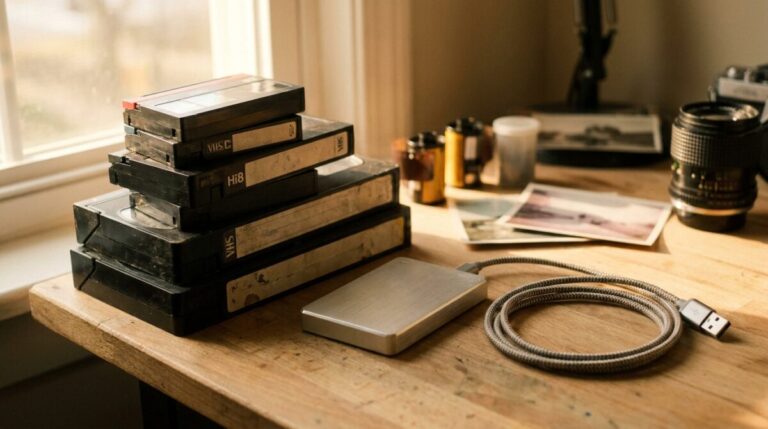
- Delivery should include a hard drive, DVD, Blu-ray, USB drive or SD card.
You are not really shopping for a price. You are shopping for care.
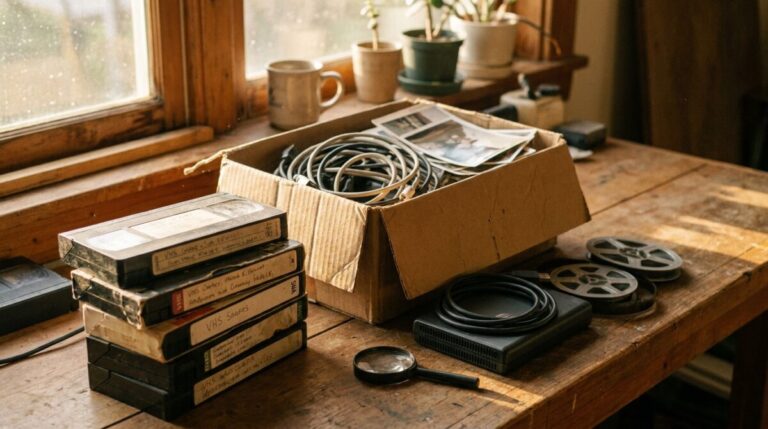
Here is the situation most people are in when they start looking. There is a box in a closet with six or twenty small reels in it, some in cans, some loose. You do not know what is on them. Your parents are in some of them, and possibly nobody else alive has seen that footage in forty years.
So you search, and you get a wall of services that all say “high quality” and “affordable.” None of that helps you choose. What helps is knowing the two or three technical decisions that actually change what you get back, and then asking every service about those specifically.
Question 1: is it scanned one frame at a time?
This is the whole ballgame. In a frame-by-frame transfer, the film moves through a scanner that takes a separate scan of each individual frame at Full HD or 2K resolution. That is what produces a steady, sharp image with real color, and it is why how the film is actually handled in the scanner matters more than any marketing line.
The alternative, cheaper method is pointing a camera at a projected image. It is fast and it looks fast: flicker, hot spots, soft edges. If a service will not tell you plainly which method it uses, that is your answer.
Frame-by-frame scanning is the same principle professional archives use. Legacy Digital uses the same trusted process the Academy of Motion Pictures in Hollywood uses on its legacy film archives, including original prints from Alfred Hitchcock.
Question 2: where does your film physically go?
Mail-in box services and big-box store counters generally do not do the work themselves. Your reels get bundled into a bulk job and shipped out of state, sometimes through more than one hand. For irreplaceable one-of-a-kind film, every extra shipping leg is a chance to lose the only copy that exists.
We scan in-house and have since 2001, which is also how we approach prints and albums through our photo scanning services that digitize photos to DVD or an external hard drive. Same rule for both: originals should be handled by the people doing the scanning, and they should come back to you. If you are weighing a ship-it-off service, our honest look, current as of August 2026, at what to know before you ship your only copies to Legacy Box lays out the tradeoffs, and our side-by-side comparison of iMemories versus Legacybox pricing and quality specs shows how the two mail-in models differ.
Question 3: what happens when a reel is in bad shape?
Not every reel is healthy. Film shrinks, dries and gets brittle in storage, splices let go, and some reels arrive with mold or a vinegar smell. A good service inspects and cleans before anything moves, identifies brittle sections, and handles them gently instead of yanking them through a machine. Ask what happens if a reel cannot be scanned safely, and whether you are charged for it.
And whatever you do, do not preview your reels first. Do not project old film to see what is on it. A projector pulls brittle film fast through sprocket teeth with heat on it, and that is where most damage happens. Sort by the labels on the cans and let the scan be the first time anyone sees it in decades.
What it should cost
Be direct about this with any service you call: film transfer pricing varies by reel and is figured by the foot, and anyone who quotes you a flat number sight unseen is guessing. What moves the price is length of the reel, the format, shrinkage and brittleness, the number of splices, whether there is sound, and whether the film needs heavier color work.
Real numbers, as of August 2026: a standard 50 foot 8mm reel, the one about the size of a baseball, runs roughly $14.50 to $16.00 at our published rates, which works out to about $0.29 to $0.32 per foot with your first storage medium included. Twenty of those standard reels lands in the neighborhood of $290 to $320 before any second storage medium, which adds $0.05 per foot or $2.50 per 50 foot reel. Our minimum order is $50.00, so a two or three reel box still comes to $50.00. Longer reels change the math directly: a 400 foot reel is eight times the footage of a standard one, so it is priced accordingly.
Two anonymized examples of how condition moved a quote. A customer brought in eighteen standard reels stored in a dry garage; several were shrunken and brittle with old splices letting go, so those reels needed extra cleaning, reconditioning and lubrication and careful hand feeding before scanning, and the job came in above the straight per-foot math for a healthy box of the same footage. Another box of twelve reels scanned clean mechanically but the color had shifted badly on more than half of them, and the added scene-by-scene color work, not the scanning, is what moved that quote up. Neither number could have been given over the phone sight unseen.
The way to compare fairly is to ask each service for the same three numbers: the rate per reel or per foot, what a standard small reel comes to, and what your whole box comes to together. Then compare those against each other, not against a vague “starting at” figure. Current package pricing, as of August 2026, is posted on our film transfer and media conversion special, and full per-foot rates and service level differences are on our 8mm and 16mm film to hard drive, DVD or Blu-ray pricing page. We will still quote your box specifically once we see condition and count.
A quote that does not mention condition is not a quote. Two twenty-reel boxes can be very different jobs if one box is dry and shrunken and the other has been in a climate-controlled closet.
How long it takes, honestly
Here is the number nobody advertises, as of August 2026: the scanning step alone takes two to three times the running length of your film, before cleaning, inspection, grain reduction or color correction are added on top. That is the mechanical reality of capturing every frame individually.
What that means for you as a customer: real quality is not a same-hour service, and anyone promising a same-hour turnaround is not scanning frame by frame. Turnaround on a specific order depends on reel count and condition, so ask for an estimate in writing when you drop off. We will tell you what your box looks like before we start.
Should you just do it yourself?
Sometimes, yes, if you enjoy the process. But run the math first, because the DIY route is not automatically the cheap one.
As of August 2026, a high quality film transfer machine can easily run into the thousands of dollars, and your results still depend on your own test runs and exposure settings. The camera-and-tripod method costs far less but is extremely slow. A single small reel means taking several thousand photos, one frame at a time, and can eat several hours per reel even under the best circumstances. Multiply that by the number of reels in your box. That number is usually what ends the project.
There is also a real risk of damaging the original film while you learn. Our step-by-step breakdown of the three DIY 8mm film to digital methods walks through each option honestly, including the parts that go wrong.
| Approach | Up-front cost | Time per small reel | Risk to the original |
|---|---|---|---|
| Buy a film transfer machine | Can run into the thousands of dollars | Varies with your test runs and exposure settings | You are the quality control, with no second chance on a torn frame |
| Photograph frames with a camera | Lower if you already own the gear | Several hours, several thousand photos per reel | Real risk of damage during handling |
| Professional lab transfer | Quoted per reel, varies by condition | Scanning alone runs 2-3x the running length | Automated frame-by-frame handling rather than thumb and shutter |
What you should get back
As of August 2026, finished files should come to you on a hard drive, DVD, Blu-ray, USB drive or SD card. In plain language: a hard drive or USB holds the actual video files, so you can copy them, back them up and email clips to family. A DVD or Blu-ray is a disc you put in a player and watch on the TV. Most families take a drive for keeping and a disc for watching, and that is a reasonable default.
You should also get your originals back. Ask that out loud before you hand anything over.
Which formats are worth asking about
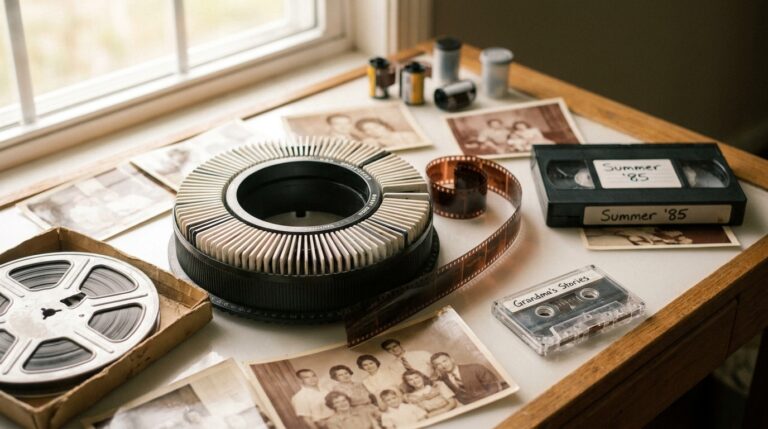
Regular 8mm, Super 8, 16mm and Technicolor reel-to-reel film all go through the same core process. If your box also has negatives or slides hiding in it, those are separate services worth bundling, and the same in-house handling applies. When you are ready to move, the transfer page for 8mm, Super 8 and 16mm film to flash drive, DVD or Blu-ray is where to start.
Why the clock matters more than the shopping
Film and magnetic tape both degrade over time. Color dyes fade, film shrinks and grows brittle, tape binder breaks down. A transfer captures your film exactly as it is on the day it is scanned, and nothing recovers what has already faded. Earlier digitization simply preserves more of the original quality. If there are VHS or camcorder tapes on the same shelf, they are on the same clock, and how long VHS tapes last before they degrade covers that side of it.
As of August 2026, we have spent 25 years transferring film and tape in our own lab, for nearly 20,000 customers since 2001. The reels that come out best are almost never the ones that were stored perfectly. They are the ones nobody projected.
Before you call anyone
- Count your reels and note roughly how big each one is.
- Leave film on its original spool and in its can.
- Do not project, force-rewind or unspool anything to look at it.
- Flag anything with mold, a vinegar smell or visible warping.
- Read the can labels and jot down dates or names for organizing later.
- Decide how you want files delivered: drive, disc, USB or SD card.
Frequently asked questions
How do I choose a film to digital transfer service?
Ask three things: is my film scanned one frame at a time, does it stay in-house or get mailed out of state, and how are brittle or damaged reels handled. Price comes after those answers, because a cheap transfer of a damaged reel is not a bargain.
How much does it cost to convert film to digital?
As of August 2026, a standard 50 foot 8mm reel runs roughly $14.50 to $16.00 at our published rates, about $0.29 to $0.32 per foot, with your first storage medium included and a $50.00 minimum order. A typical twenty reel box of standard reels lands around $290 to $320 before extras. Beyond that it varies by reel length, format and condition, so ask for a quote based on your actual box rather than a flat online figure. Shrinkage, brittleness, splices and the amount of color work needed all move the number.
How long does it take to convert film to digital?
It varies with reel count and condition. As of August 2026, the scanning step alone takes two to three times the running length of your film, with cleaning, inspection, grain reduction and color correction on top, so ask for a written estimate at drop-off. Same-hour turnaround is not frame-by-frame scanning.
Can I watch my old film before I have it transferred?
Please do not project it. Old film shrinks and gets brittle, and a projector pulls it fast through sprocket teeth with heat. That is where most damage happens. Sort by the can labels and let the scan be your first viewing.
Is it cheaper to convert film to digital myself?
Not always. As of August 2026, a high quality film transfer machine can easily run into the thousands of dollars, and results depend on your own test runs and exposure settings. For a one-time box of family reels, professional transfer is usually both cheaper and safer.
What film formats can be transferred?
8mm, Super 8, 16mm and Technicolor reel-to-reel film. If you want the full walkthrough of the process itself, see what it really takes to convert film to digital properly.
A low-pressure next step
You do not have to decide about the whole box today. Pull out one reel, leave it on its spool, and call or email to ask what it would take. We will tell you honestly what we see, what it would cost, and how long it would take, with no obligation to go further. If it helps to hear from other families first, as of August 2026 we hold a 4.9 out of 5 Google rating across 190 reviews. Whenever you are ready, your reels get handled one frame at a time.
Reviewed by Scott Foster, Founder of Legacy Digital Productions, Orange, CA - transferring film, tape, slides, photos and audio in-house since 2001 - last updated August 15, 2026.
Sources for this article
- Frame-by-frame scanning at Full HD or 2K with grain reduction and color correction; delivery on hard drive, DVD, Blu-ray, USB or SD card
- Do not project old film to preview it; that step is where most damage happens
- Scanning step alone takes two to three times the running length of the film
- Anyone promising same-hour turnaround is not scanning frame by frame
- A high quality film transfer machine can easily run into the thousands of dollars; results depend on your own test runs and exposure settings
- Camera method: several thousand photos per small reel, several hours per reel, risk of damaging the original
- Formats handled: 8mm, Super 8, 16mm, Technicolor reel-to-reel
- Same trusted process the Academy of Motion Pictures in Hollywood uses on its legacy archives, including Alfred Hitchcock prints
Facts drawn from this site's own documented knowledge and first-hand experience.