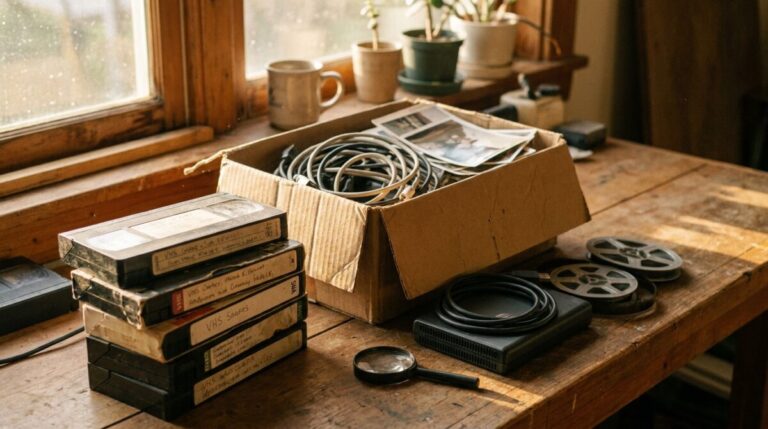
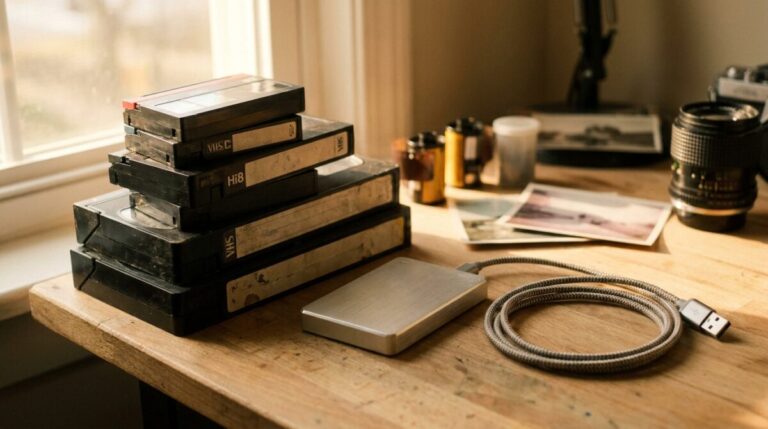
A VHS video to digital converter is a small capture device that takes the analog video and audio signal coming out of a working VCR and turns it into a digital file on your computer. It does not read the tape itself. That distinction matters more than any product review, because the picture quality you end up with is set by the VCR, the condition of the tape, and the cables – not by the converter. The converter simply records whatever it is handed. Understand that, and you will know immediately whether DIY capture is a good fit for your tapes or a risk you would rather not take.
The belief worth correcting: the converter is not the scanner
Most people shopping for a “VHS converter” assume they are buying the thing that reads the tape, the way a photo scanner reads a print. It isn’t. VHS is a magnetic format, and the only thing that can read it is a videocassette recorder with spinning heads pressed against the tape. Your converter box or USB dongle sits downstream, digitizing an already-played signal.
So the honest shopping list for DIY VHS transfer looks like this:
- A VCR that still plays well. Ideally one whose heads are clean and whose belts have not dried out. This is the hard part to find now.
- A capture device. USB capture sticks, standalone recorders that write to a memory card, and older cards that live inside a computer all do essentially the same job.
- Cables that match. Usually composite (the yellow, white, and red RCA trio) or S-Video if your VCR offers it.
- Software and disk space. Video files are large, and how large depends on the settings you capture at, so check the stated requirements and recommended capture settings for whatever device you buy before you start rather than guessing.
Why the clock is running on your tapes
Magnetic tape does not age gracefully. The binder that holds magnetic particles to the plastic base slowly breaks down, which is what people are describing when they mention sticky tape, shedding, or a picture that goes soft and streaky partway through. Tapes stored in hot attics or damp basements decline faster. Mold is a real possibility in humid storage.
None of this happens on a schedule you can predict, and that is the point: the earlier a tape is digitized, the more of the original signal there is to capture. A transfer done today preserves more than the same transfer done years from now, because you are copying a stronger signal. Once a stretch of tape has lost its magnetic coating, no software, no converter, and no lab can put the picture back.
What DIY capture does well
DIY is genuinely reasonable when you have a modest number of tapes, they are in decent shape, you own or can borrow a VCR that plays cleanly, and you enjoy tinkering. Home movies of birthdays and holidays that will mostly be watched on a phone or laptop do not always need a lab. Watching the footage in real time as it captures is also a nice way to rediscover what is actually on those unlabeled tapes. The best way to convert VHS to digital at home is the straightforward one: an A/V-to-USB adapter cable plugged into a USB 2.0 port, your analog video source connected with the included RCA composite or S-Video cables, and the bundled software (or a program of your choosing) capturing in real time. Searching for the best VHS to digital converter will turn up plenty of nearly identical boxes and dongles, including the shelf models at big retailers like Walmart, and they all do the same downstream job, so the deck feeding them matters far more than the brand on the package. That is why we do not push a particular model here: the sensible test is whether a device includes RCA composite and S-Video inputs, works with a USB 2.0 port, and ships with capture software you can actually run on your computer.
Where DIY tends to break down
- Capture happens in real time. A tape takes as long to digitize as it takes to play, and you should be watching for dropouts. A closet full of tapes becomes many long evenings.
- Sick VCRs damage tapes. A worn transport can crease, stretch, or eat a tape. With one-of-a-kind footage, a single bad pass is unrecoverable.
- Tracking, sync, and audio drift. Consumer converters vary a lot in how gracefully they handle unstable signals from old or off-speed recordings.
- Camcorder formats confuse things. VHS-C, S-VHS, 8mm, Hi8, Digital8, and MiniDV are all different animals. Some need an adapter, some need their original camcorder, and a VHS converter alone will not help you.
- Damaged tapes need hands. Broken leaders, snapped splices, and mold call for physical repair and cleaning before anything plays at all.
Formats in plain language
When you capture, you will be asked to choose a file type. MP4 with H.264 video is the safe default: it plays on virtually every phone, TV, computer, and cloud service, and the files are manageable. Some capture tools offer larger, less compressed formats intended as archival masters. A reasonable approach many people take is to keep one higher-quality master file and make smaller MP4 copies for sharing. DVD, by contrast, is a playback disc, not an archive. Discs scratch, drives are disappearing from new computers, and a DVD holds less picture information than a good digital master. If you do plan to convert VHS to DVD, it is worth knowing how long ordinary discs last compared with archival ones. If you want discs for a relative’s player, ask for them in addition to files, not instead of them.
When to hand the tapes to someone else
Consider a lab if the tapes are irreplaceable and you have no reliable VCR, if there are more tapes than you have patience for, if anything smells musty or looks spotted, or if you have a mix of camcorder formats you cannot identify. A service brings maintained decks, format-specific equipment, time base correction for unstable signals, and the ability to stop and address a problem tape rather than plow through it. People searching for somewhere to convert VHS to digital near me usually find that the companies that convert VHS to digital work by mail rather than storefront, so your choice is not limited to whatever happens to be in town; before you pick one, it helps to know how to choose a VHS to digital service and what per-tape pricing should cost, and to compare how each service defines a billable unit, since a tape longer than two hours often counts as more than one. Our own video tape to digital service covers every commercial format and charges per tape, so you pay only for the ones you actually have. If you are unsure what you have, describing the tapes and getting a free estimate costs nothing and usually clears up the format question fast.
A note on film, since most families have both
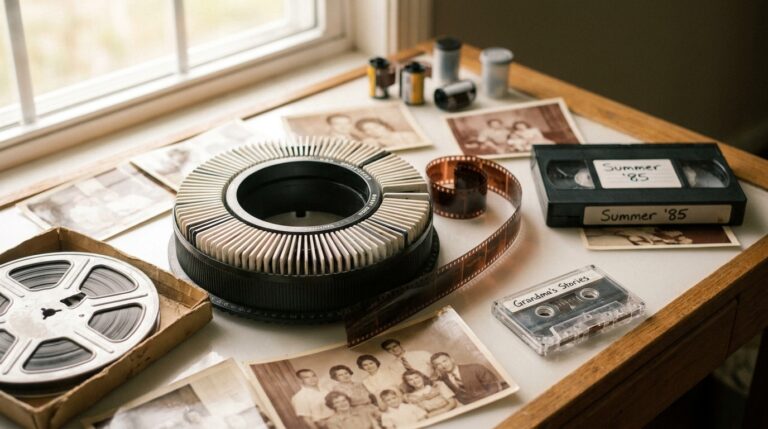
If those VHS tapes are sitting next to a box of 8mm or 16mm reels, know that film is a different problem with a different solution. Film is scanned optically, and the process to convert film to digital captures each individual frame as its own image rather than pointing a camera at a projected wall image. Cold LED light sources are used precisely because they do not bake fragile, shrunken, or brittle film the way hot projector bulbs did. There is no consumer converter equivalent for this, so film is where a lab earns its keep most clearly.
Practical tips before you press record
- Test with your least sentimental tape first. Never learn your workflow on the wedding video.
- Rewind and fast-forward a tape fully once before capture only if it plays smoothly; if it squeaks, binds, or sheds, stop and get help.
- Label as you go. Filenames like “1987-summer-lake” beat “capture_004” a decade from now.
- Back up in more than one place. A single hard drive is not preservation.
- Verify claims on packaging. Advertised resolutions and “enhancement” features vary widely in what they actually deliver; check current specs and reviews for the exact model you are considering.
FAQ
Do I need a VCR to use a VHS to digital converter?
Yes. The converter has no tape mechanism. It only digitizes a signal, so you need a VCR (or a VHS-capable camcorder with the right adapter) to play the tape and send that signal out. If you do not have one, that is usually the deciding factor in favor of using a service.
Will a converter make my old VHS tapes look HD?
No. VHS was a standard-definition, relatively low-resolution format to begin with, and nothing added later creates detail that was never recorded. A good transfer preserves what is on the tape and avoids adding new problems. Devices advertising HD output are simply scaling the picture up, not improving it.
How long does it take to digitize a VHS tape?
Capture happens in real time, so a tape takes about as long as it takes to play from start to finish, plus your time for setup, file naming, and any trimming. Multiply that by the number of tapes in the box to get an honest sense of the project.
Are my tapes too old to save?
Usually not, but condition varies enormously with how they were stored. Tapes that lived in a climate-controlled closet often play surprisingly well. Tapes from hot attics or damp basements may show shedding, sticking, or mold and need professional cleaning first. The only way to know is to have someone look at them, and the sooner that happens, the better the odds.
Should I get DVDs or digital files?
Files, primarily. Digital files can be copied endlessly without loss, stored in multiple places, and played on the devices people actually use. DVDs are fine as a convenience for someone with a disc player, but treat them as extra copies rather than your archive.
What about VHS-C, Hi8, or MiniDV tapes in the same box?
They are different formats and need different equipment. VHS-C can play in a VCR with an adapter; Hi8 and MiniDV cannot. If you have a mix, list what you find and ask before buying any hardware, since one converter will not cover them all.
A low-pressure next step
If you are leaning DIY, start with one tape you would not mourn and see how the process feels before committing a whole weekend. If you are leaning the other way, or you simply want to know what you are dealing with, gather the tapes, note any labels, and request a simple quote or talk it through by phone using our call for quote page. There is no obligation, and asking questions about a box of family tapes is exactly what we are here for. The one thing not worth doing is leaving them in the attic for another season.
Reviewed by Scott Foster, Founder of Legacy Digital Productions, Orange, CA - transferring film, tape, slides, photos and audio in-house since 2001 - last updated September 7, 2026.
Sources for this article
- No FACTS block was provided; the draft avoids all numeric, price, and measurement claims and relies on widely accepted general knowledge about analog tape, VCR playback, and captur
- Reader is told to verify specifics (device compatibility, tape condition, pricing) directly rather than trusting general figures.
Facts drawn from this site's own documented knowledge and first-hand experience.